

Series Catalog:
- Overview of Android Performance Patterns
- Android Performance Patterns: Render Performance
- Android Performance Patterns: Understanding Overdraw
- Android Performance Patterns: Understanding VSYNC
- Android Performance Patterns: Profile GPU Rendering
Unbeknownst to most developers, there’s a simple hardware design that defines everything about how fast your application can draw things to the screen.
You may have heard the term VSYNC - VSYNC stands for vertical synchronization and it’s an event that happens every time your screen starts to refresh the content it wants to show you.
Effectively, VSYNC is the product of two components: Refresh Rate (how fast the hardware can refresh the screen), and Frames Per Second (how fast the GPU can draw images). In this video, Colt McAnlis walks through each of these topics and discusses where VSYNC (and the 16ms rendering barrier) comes from, and why it’s critical to understand if you want a silky smooth application.
Basic Concepts
To develop a high-performance application, you first need to understand how the hardware works. The perceived speed of an app is often misunderstood as a raw hardware processing problem, but the real root is often rendering performance. To improve rendering, you must understand VSYNC.
Before diving into VSYNC, we need to understand two concepts:
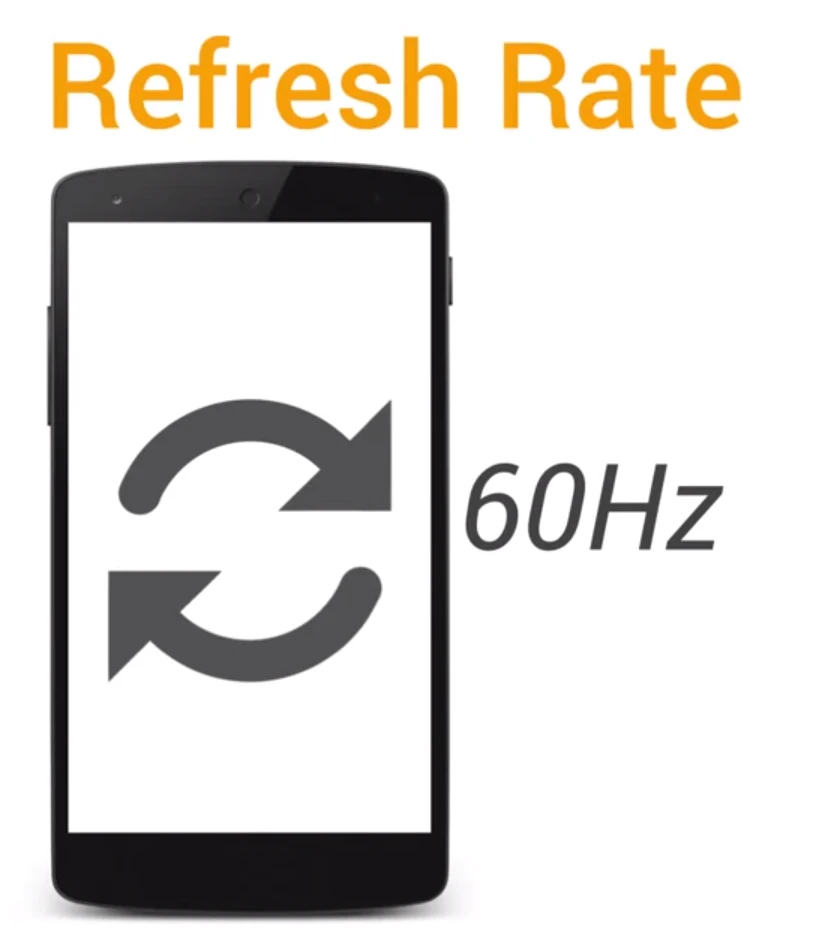
Refresh Rate
The refresh rate represents the number of times a screen refreshes per second, measured in Hertz (Hz). This is a fixed hardware parameter. Most screens are 60Hz, meaning they refresh every 16.66ms.
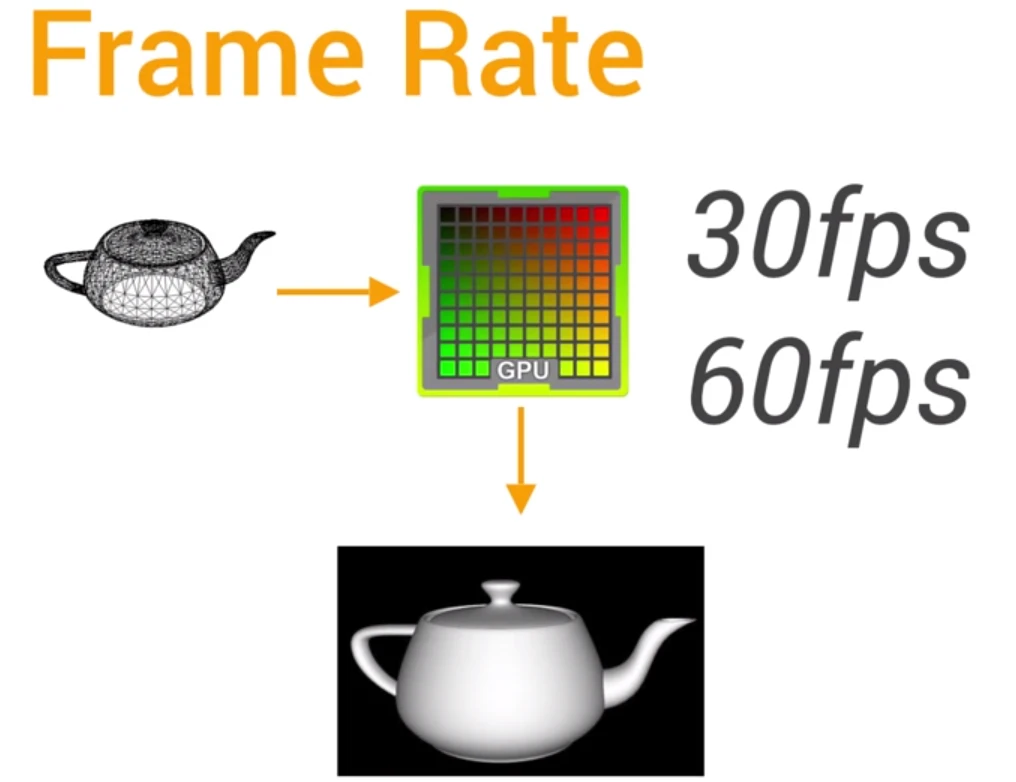
Frame Rate (FPS)
The frame rate representing the number of frames the GPU can draw per second (e.g., 30fps/60fps). In this case, a higher frame rate is generally better.
How It Works
The refresh rate and frame rate must work together to display content. The GPU generates image data, and the hardware presents that content on the screen. This happens repeatedly throughout your app’s lifecycle. Each vertical segment in the image below represents the drawing and presentation of one frame.
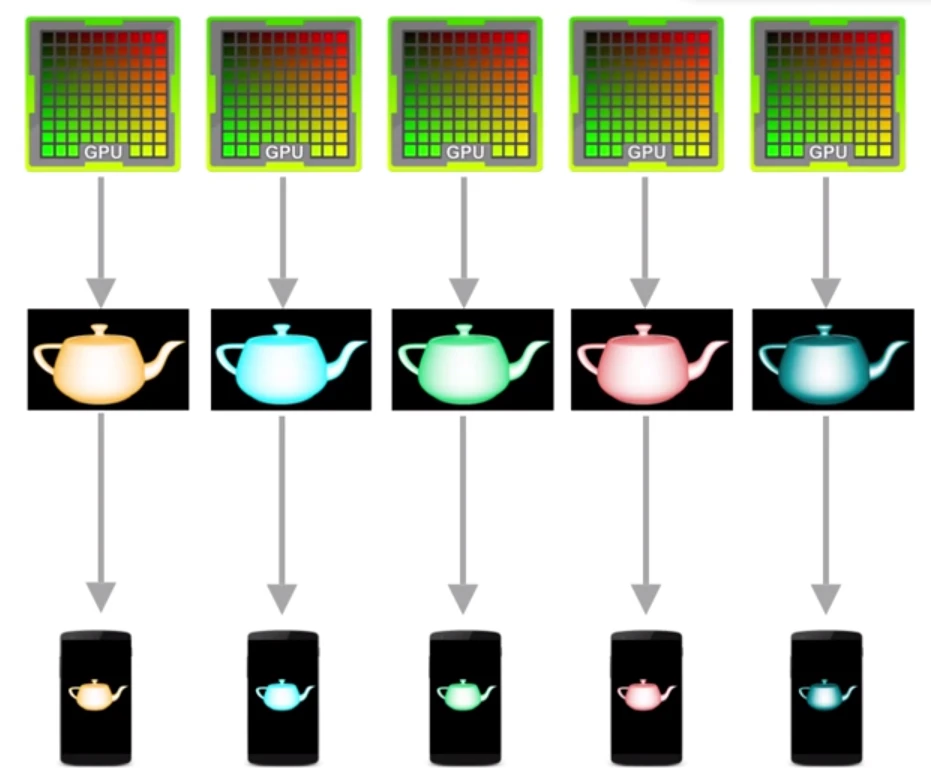
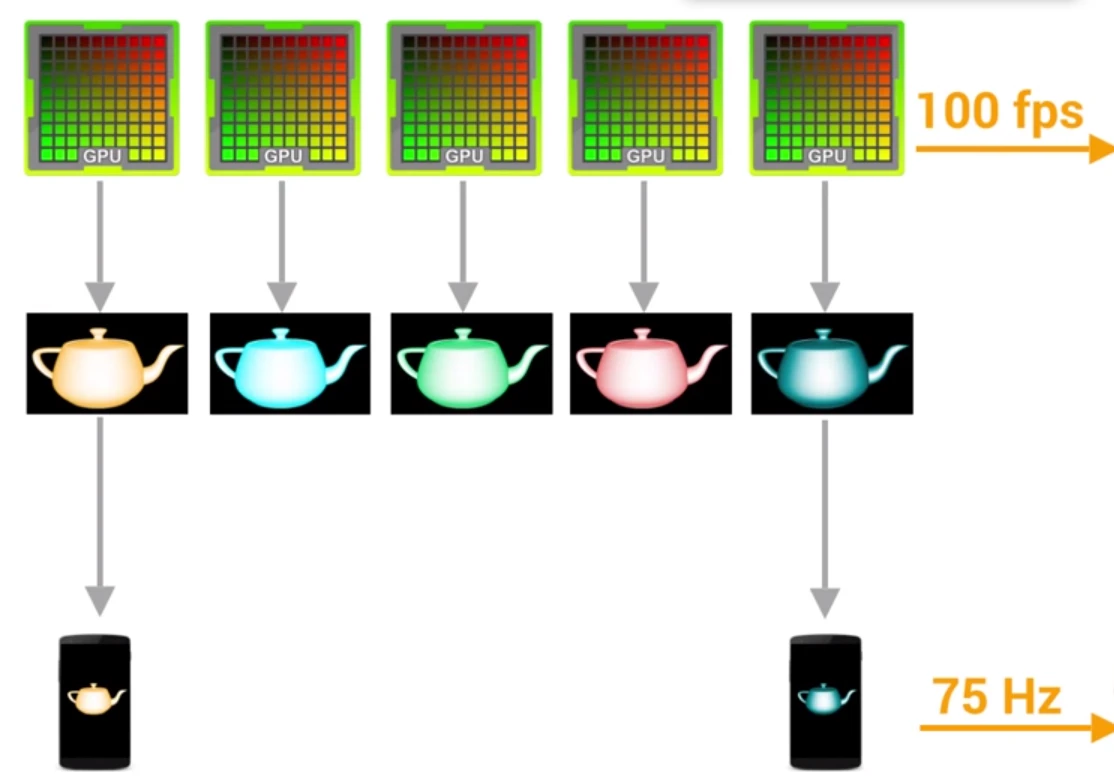
Unfortunately, the refresh rate and frame rate don’t always stay in sync:
If the frame rate is faster than the refresh rate, visual artifacts can occur. When the GPU renders at 100fps but the screen only refreshes at 75Hz, some rendered images are never shown.
For example, if you take a photo, rotate it 5 degrees, take another, and then cut and join them:
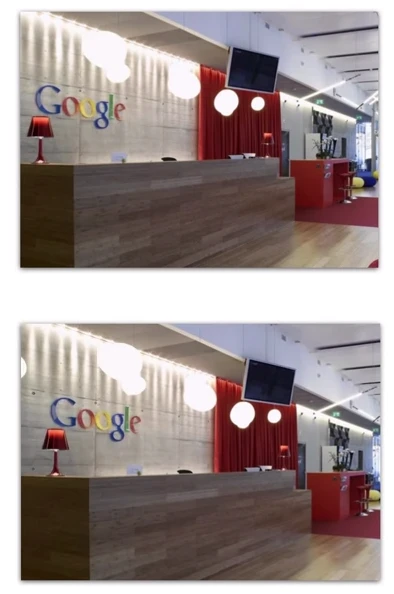

The images have similarities, but the top and bottom parts have a clear mismatch. This is called Tearing, and it’s the result of a mismatch between refresh rate and frame rate.This happens because while the display is refreshing (starting from the top), the GPU might be writing a new frame to the memory buffer. If a new frame overwrites the previous one mid-refresh, the display will output half of the old frame and half of the new one.
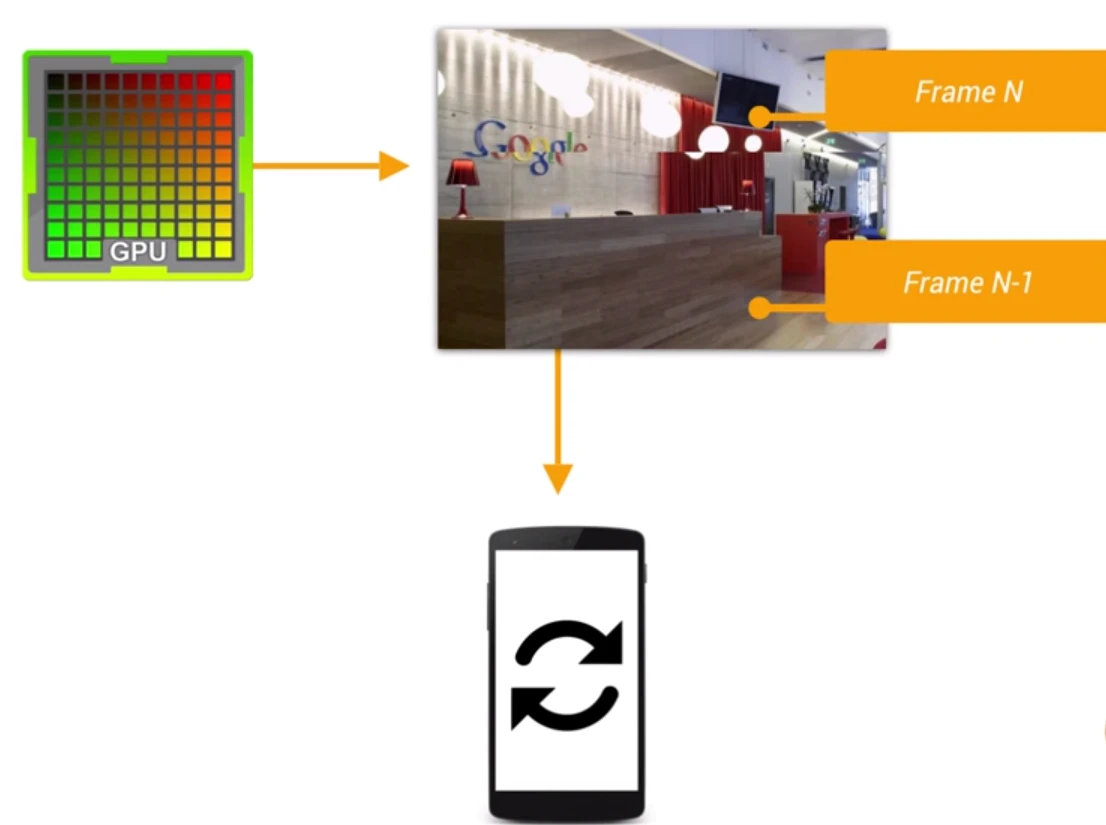
Android uses Double Buffering (or Triple/Quad Buffering) to effectively solve this. The GPU writes a frame to a “Back Buffer,” while the display reads from a “Frame Buffer.” When the next frame is ready, the GPU starts filling the back buffer while the frame buffer remains constant. During the refresh, VSYNC (Vertical Synchronization) triggers the “swap” or copy from the back buffer to the frame buffer:
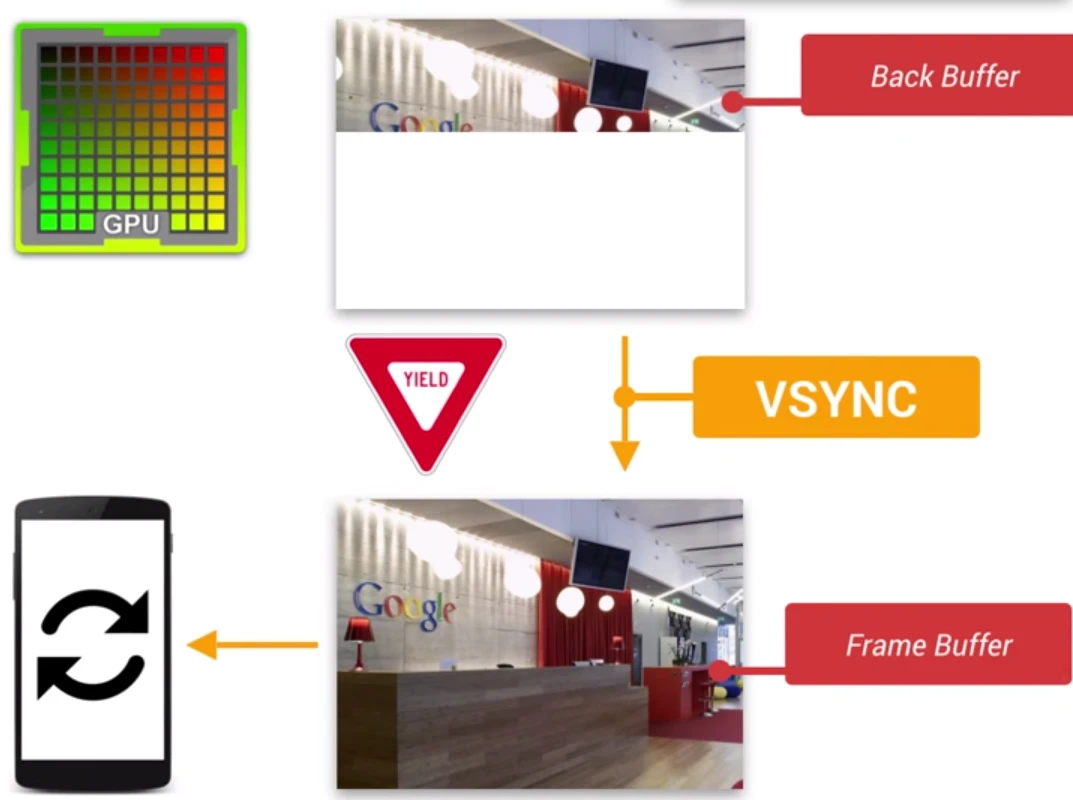
It’s normal for the GPU frequency to be higher than the refresh rate. In this case, once the screen refresh completes, the GPU waits for the VSYNC signal before starting the next frame. This caps your frame rate at the device’s refresh rate. Ideally, to hit 60fps, the GPU must prepare a frame within 16.66ms.
If the refresh rate is faster than the frame rate, the screen will show the same image for multiple refreshes. This is perceived as stuttering or lag. If the frame rate drops (e.g., the GPU has too much to draw), the user will clearly notice a freeze or “jank” before it becomes smooth again. This is typically described as flickering, frame skipping, or lag.
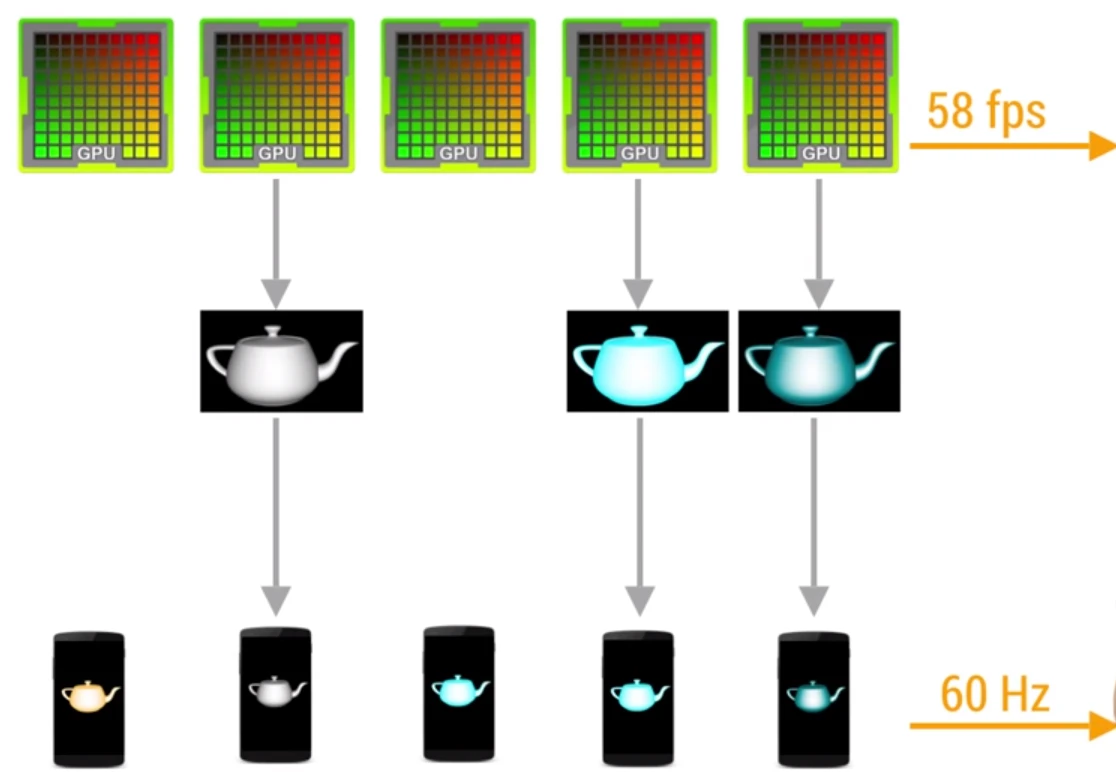
Your application should avoid these sudden frame rate drops by ensuring the GPU can process data quickly and write content before the next screen refresh.
Perf Matters
Keep calm, profile your code, and always remember, Perf Matters.
About Me && Blog
Below is my personal intro and related links. I look forward to exchanging ideas with fellow professionals. “When three walk together, one can always be my teacher!”
- Blogger Intro
- Blog Content Navigation: A guide for my blog content.
- Curated Excellent Blog Articles - Android Performance Optimization Must-Knows
- Android Performance Optimization Knowledge Planet
One walks faster alone, but a group walks further together.
