Android Performance

Android Performance

Focus on Android Performance

loading
Reflections on Work and Growth (2017)

In the blink of an eye, it’s 2017. I’ve been working for nearly four years. I went to school in Weihai in 2009, started my internship in Shanghai in 2012, stayed in Shanghai after graduating in 2013, joined Meizu in Zhuhai in 2014, and have been here ever since.

I’ve been writing on this blog since graduation—writing, deleting, and rewriting—recording my journey from App development to System App development, and finally to System Framework development. Looking back after a few years is a great way to appreciate how far I’ve come.

This post records my thoughts on my blog, my job, my work habits, and my expectations for 2017. It’s a mix of confusion and ambition.

We are already 30% through 2017. I hope it’s not too late to share this.

Android Bottom Navigation Spec Part 2: Style, Behavior, and Dimensions

One day in March, Google updated its design guidelines with a new component: Bottom Navigation. This release was quite surprising to many, as Bottom Navigation hadn’t been mentioned in previous Material Design iterations. Traditionally, one of the biggest differences between Android and iOS design was the use of bottom bars; while they were essential for iOS, Android apps following MD guidelines generally avoided them.

This is the second article in a series on Android Bottom Navigation, covering style, behavior, and dimensions.

Android Bottom Navigation Spec Part 1: Usage

One day in March, Google updated its design guidelines with a new component: Bottom Navigation. This release was quite surprising to many, as Bottom Navigation hadn’t been mentioned in previous Material Design iterations. Traditionally, one of the biggest differences between Android and iOS design was the use of bottom bars; while they were essential for iOS, Android apps following MD guidelines generally avoided them.

This is the first article in a series on Android Bottom Navigation, covering its usage and historical evolution.

How to Calculate App Startup Time in Android?

Someone recently asked on Zhihu: “How to calculate APK startup time?”

“How can I use Python or direct ADB commands to calculate APK startup time? I want to measure the time from clicking the icon to the APK being fully started. For example, in a game, this would be from the icon tap to entering the login screen. Existing methods like adb shell am start -W provide ThisTime and TotalTime, but I’m unsure of the difference and they don’t seem to match visual reality.”

My colleague Guo Qifa and I provided detailed answers. Since Zhihu reach can be limited, I’ve compiled our responses here with his permission as a guide for other developers.

Android App Launch Optimization: Implementation and Principles of DelayLoad (Part 2)

In the previous article, we used the third method to implement DelayLoad. However, the previous article was written relatively simply and only explained how to implement. This article will explain why we need to do this and the principles behind it.

This will involve some relatively important classes in Android, as well as several relatively important functions in Activity lifecycle.

Actually, the principles here are quite simple, but to clarify the implementation process, it’s still a quite interesting thing. It will involve using some tools, adding debug code ourselves, and proceeding step by step. Through this, our understanding of Activity launch will be one layer deeper. I hope that after reading this, everyone will also get some help from it.

Android App Startup Optimization - DelayLoad Implementation and Principles (Part 1)

In Android development, startup speed is a critical metric, and optimization is a vital process. The core philosophy of startup optimization is “doing less” during launch. Typical practices include:

  1. Asynchronous Loading
  2. Delayed Loading (DelayLoad)
  3. Lazy Loading

Most developers who have worked on startup optimization have likely used these. This article dives deep into a specific implementation of DelayLoad and the underlying principles. While the code itself is simple, the mechanics involve Looper, Handler, MessageQueue, VSYNC, and more. I’ll also share some edge cases and my own reflections.

RenderThread Workflow in Android hwui

Preface

This article serves as a set of learning notes documenting the basic workflow of RenderThread in hwui as introduced in Android 5.0. Since these are notes, some details might not be exhaustive. Instead, I aim to walk through the general flow and highlight the key stages of its operation for future reference when debugging.

The image below shows a Systrace capture of the first Draw operation by the RenderThread during an application startup. We can trace the RenderThread workflow by observing the sequence of events in this trace. If you are familiar with the application startup process, you know that the entire interface is only displayed on the phone after the first drawFrame is completed. Before this, the user sees the application’s StartingWindow.

Java 7 HashMap Source Code Analysis

Linked lists and arrays allow elements to be arranged in an order of our choice. However, if you want to find a specific element but have forgotten its position, you must visit every element until you find it. This can consume significant time if the collection is large. A data structure that allows for rapidly finding objects is the hash table.

HashMap is an implementation of the Map interface based on a hash table. This implementation provides all optional mapping operations and permits null values and null keys. (The HashMap class is roughly equivalent to Hashtable, except that it is unsynchronized and permits nulls.) This class makes no guarantees as to the order of the map; in particular, it does not guarantee that the order will remain constant over time.

Android Code Memory Optimization Suggestions - OnTrimMemory

Android Memory Optimization Series:

  1. Android Code Memory Optimization Suggestions - Android (Official)
  2. Android Code Memory Optimization Suggestions - Java (Official)
  3. Android Code Memory Optimization Suggestions - Android Resources
  4. Android Code Memory Optimization Suggestions - OnTrimMemory

The onTrimMemory callback is an API introduced in Android 4.0. It provides hints to developers when system memory is low, allowing them to release resources proactively to avoid being killed by the OS. This ensures the app stays in the background longer and starts faster when the user returns.

This article uses a Q&A format to explain the usage and effectiveness of the onTrimMemory callback across various scenarios. If you want to build high-performance Android apps with great user experiences, don’t miss this.

Android Code Memory Optimization Suggestions - Android Resources

Android Memory Optimization Series:

  1. Android Code Memory Optimization Suggestions - Android (Official)
  2. Android Code Memory Optimization Suggestions - Java (Official)
  3. Android Code Memory Optimization Suggestions - Android Resources
  4. Android Code Memory Optimization Suggestions - OnTrimMemory

This article focuses on common memory leak scenarios in Android application development. Having a baseline understanding of memory management before writing code leads to much more robust applications. This post starts with resource usage in Android and covers optimizations for Bitmaps, database queries, Nine-Patch assets, overdraw, and more.

Android Code Memory Optimization Suggestions - Android (Official)

Android Memory Optimization Series:

  1. Android Code Memory Optimization Suggestions - Android (Official)
  2. Android Code Memory Optimization Suggestions - Java (Official)
  3. Android Code Memory Optimization Suggestions - Android Resources
  4. Android Code Memory Optimization Suggestions - OnTrimMemory

To ensure the Garbage Collector (GC) can properly release memory, it’s crucial to avoid memory leaks (often caused by global or static member variables holding object references) and to release references when they are no longer needed. For most apps, the GC handles the rest: if an object is no longer reachable, its memory is reclaimed.

High-performance software requires proactive memory management throughout the development lifecycle. Android provides several specific guidelines and techniques to help developers achieve excellent memory performance.

Android Code Memory Optimization Suggestions - Java (Official)

Android Memory Optimization Series:

  1. Android Code Memory Optimization Suggestions - Android (Official)
  2. Android Code Memory Optimization Suggestions - Java (Official)
  3. Android Code Memory Optimization Suggestions - Android Resources
  4. Android Code Memory Optimization Suggestions - OnTrimMemory

This article introduces micro-optimization techniques that, when combined, contribute to the overall performance of an app, although they don’t provide massive gains compared to choosing the right algorithms and data structures. You should incorporate these tips into your coding habits to improve efficiency.

This content is based on the Google Official Training for Performance Optimization, specifically focusing on high-performance Android code. I recommend all Android developers read these guidelines and apply these principles in their work.

A Detailed Guide to Java Singleton Pattern

The Singleton pattern, also known as the single-instance pattern, is a widely used software design pattern. When apply this pattern, the class must ensure that only one instance of the singleton object exists. In this article, we will explore the two primary ways to construct a singleton pattern and finally introduce a sophisticated yet concise approach.

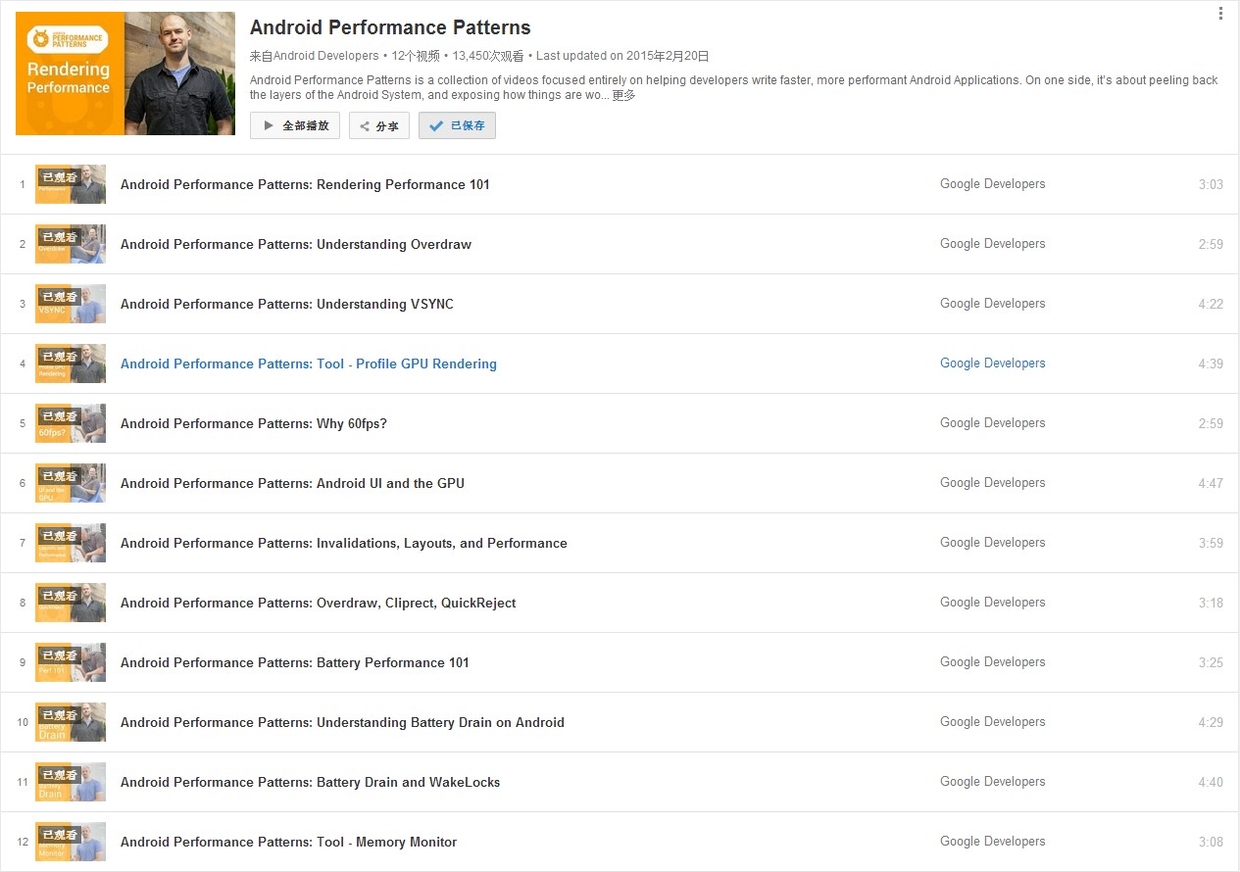
Android Performance Patterns: Profile GPU Rendering

Series Catalog:

  1. Overview of Android Performance Patterns
  2. Android Performance Patterns: Render Performance
  3. Android Performance Patterns: Understanding Overdraw
  4. Android Performance Patterns: Understanding VSYNC
  5. Android Performance Patterns: Profile GPU Rendering

“If you can measure it, you can optimize it” is a common term in the computing world, and for Android’s rendering system, the same thing holds true. In order to optimize your pipeline to be more efficient for rendering, you need a tool to give you feedback on where the current perf problems lie.

In this video, Colt McAnlis walks you through an on-device tool built for this exact reason. “Profile GPU Rendering” will help you understand the stages of the rendering pipeline, see which portions might be taking too long, and decide what to do about it in your application.

Profile GPU Rendering Tool

Rendering performance issues are often the culprits stealing your precious frames. These problems are easy to create but also easy to track with the right tools. Using the Profile GPU Rendering tool, you can see right on your device exactly what is causing your application to stutter or slow down.